


Get started with GSS
Dear GSS customer, welcome to our quick start guide!
Below you will find the default settings for your new GSS product.
Enjoy getting started!
Jump directly to the device category:
DVB-Gateways
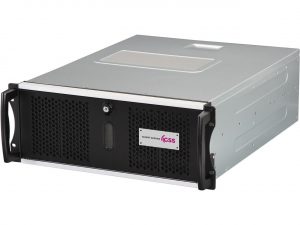
GSS Smart Server
Network
IP: 192.168.0.120
Netmask: 255.255.255.0
Gateway: 192.168.0.1
Login HTML-GUI
User: admin
Password: geheim
Reset IP or Login via USB
USB stick (FAT32, NTFS)
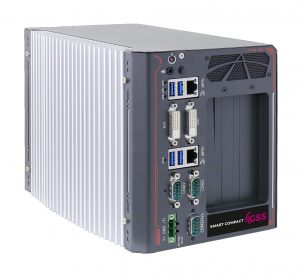
GSS Smart Compact
Network
IP: 192.168.0.120
Netmask: 255.255.255.0
Gateway: 192.168.0.1
Login HTML-GUI
User: admin
Password: geheim
Reset IP or Login via USB
USB stick (FAT32, NTFS)
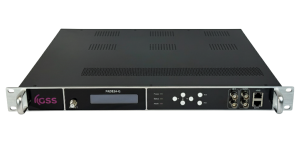
Classic Line
Network
IP: 192.168.0.136
Netmask: 255.255.255.0
Gateway: 192.168.2.1
Login HTML-GUI
User: admin
Password: geheim
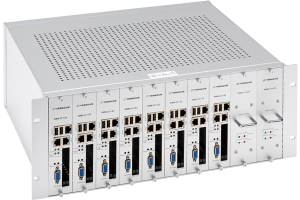
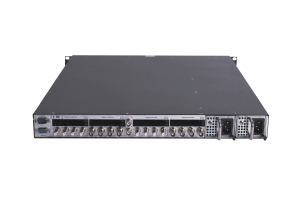
Teracue DMM-Series
DMM-221-S2
Network
IP: 10.10.70.48
Subnetmask: 255.255.255.0
Gateway: 10.10.70.1
Multicast IP channel 1: 255.1.1.1
Web Login Data
User: root
Password: 12345
Teracue DMM-Series
DCH-380D-T2
Network
IP: 10.10.70.48
Multicast IP channel 1: 238.1.1.1
Web Login Data
User: root
Password: 12345
Encoding
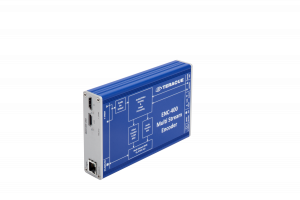
ENC-400 series
Network
IP: 172.16.20.100
Netmask: 255.255.0.0
Gateway: 172.16.10.100
Input stream
IP: 239.252.20.101
Login
User: admin
Password: Teracue1
Resolution
1080i
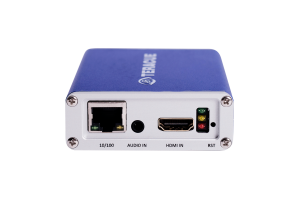
ENC-500-HDMI
Network
IP: 172.16.20.100
Subnetmask: 255.255.0.0
Gateway: 172.16.10.100
HDMI status: rtsp://172.16.20.100:554/live1
HDMI status 2: Udp://@239.252.20.102:4446
Web Login Data
User: admin
Password: Teracue1
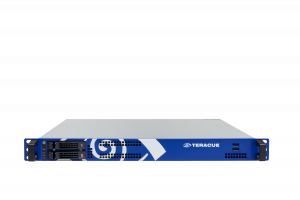
MC-ENC-4K-1RU
Network
IP: DHCP
Netmask: DHCP
Gateway: DHCP
OS Login
User: admin
Password: Teracue1
MultiCoder Web Login
User: admin
Password: Teracue1
Classic Line
Network
IP: 192.168.0.136
Netmask: 255.255.255.0
Gateway: 192.168.2.1
Login HTML-GUI
User: admin
Password: geheim
Decoding
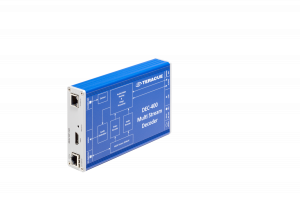
DEC-400 series
DEC-400-HDMI
Network
IP: 172.16.20.200
Netmask: 255.255.0.0
Gateway: 172.16.10.100
Input stream
IP: 239.252.20.101
Web Login Data
User: admin
Password: Teracue1
Video output
HDMI
DEC-400-HDSDI
Network
IP: 172.16.20.200
Netmask: 255.255.0.0
Gateway: 172.16.10.100
Input stream
IP: 239.252.20.101
Login
User: admin
Password: Teracue1
Video output
SDI1

Amino-H200
Network
IP: DHCP
Netmask: DHCP
Gateway: DHCP
Transcoding / Routing
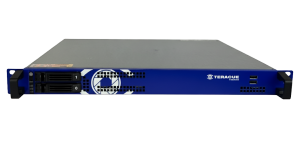
Transcoding Routing Appliance Cluster (TAC 2.0)
Network
IP: 192.168.0.120
Netmask: 255.255.255.0
Gateway: 192.168.0.1
Login HTML-GUI
User: admin
Password: geheim
Reset IP or Login via USB
USB stick (FAT32, NTFS)

SHLS 710/720
Network
IP: 192.168.0.120
Netmask: 255.255.255.0
Gateway: 192.168.0.1
Login HTML-GUI
User: admin
Password: geheim
Reset IP or Login via USB
USB stick (FAT32, NTFS)
Smart Solutions
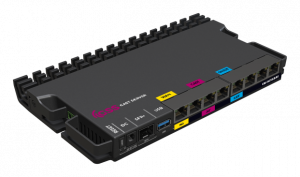
Cast Gateway
1. Network Requirements
- VLAN Segregation: Separate guest and cast networks using VLANs.
- mDNS-Filterung: Aktivieren Sie die mDNS-Filterung.
- Custom DNS: Set up a DNS server with an A-record in the guest network.
2. Port Configuration
Eth1 – WAN port:
- IP: Any available IP from your network.
- VLAN: Supports untagged or Access VLAN only.
Eth3 – Guest Network:
- VLAN: Untagged or no VLAN.
- MAC 1: Used for WAN access.
- Get MAC: Send Cast Gateway serial number (S/N) via email.
- IP: Any available IP from your network.
- MAC 2 (Fixed): 3A:6E:A8:43:4A:5F (for pairing TV images)
- DNS-Setup: IP: “10.0.0.2”, Domain: “cast.axing.com”.
Eth5 – Chromecast Network:
- VLAN: Untagged or no VLAN.
- MAC 1: Used for WAN access.
- Get MAC: Send Cast Gateway serial number (S/N) via email.
- IP: Any available IP from the Chromecast network.
- MAC 2 (fixed): 3A:6E:A8:43:4A:5F (for the Chromecast-Dashboard).
- Access: http://$ipaddress/console.
3. Final Steps
- Ensure proper VLAN and IP settings.
- For MAC address details, email your Cast Gateway serial number to our support team.
E-Charge Server
Network
IP: 192.168.0.120
Netmask: 255.255.255.0
Gateway: 192.168.0.1
Wallbox HTML-GUI
IP: 192.168.0.120:80
Admin GUI
IP:192.168.0.120:8080
User: admin
Password: geheim
Reset IP or Login via USB
USB stick (FAT32, NTFS)

TMP3 media player
Network
IP: 192.168.0.120
Netmask: 255.255.255.0
Gateway: 192.168.0.1
Login HTML-GUI
User: admin
Password: geheim
Reset IP or Login via USB
USB stick (FAT32, NTFS)
network.reset => Reset 192.168.0.120/24
password.reset => Reset PW ‘geheim’
Don't miss out
Would you like to find out more about the latest trends and innovations in streaming technology? Sign up now for the GSS Teracue newsletter and regularly receive exciting information, tips and offers on live video directly in your inbox.